Never miss a word.
AI-powered meeting notes.
Real-time transcription, AI summaries, and rich notes — directly in your browser.
No account. No server. Your data stays on your machine.
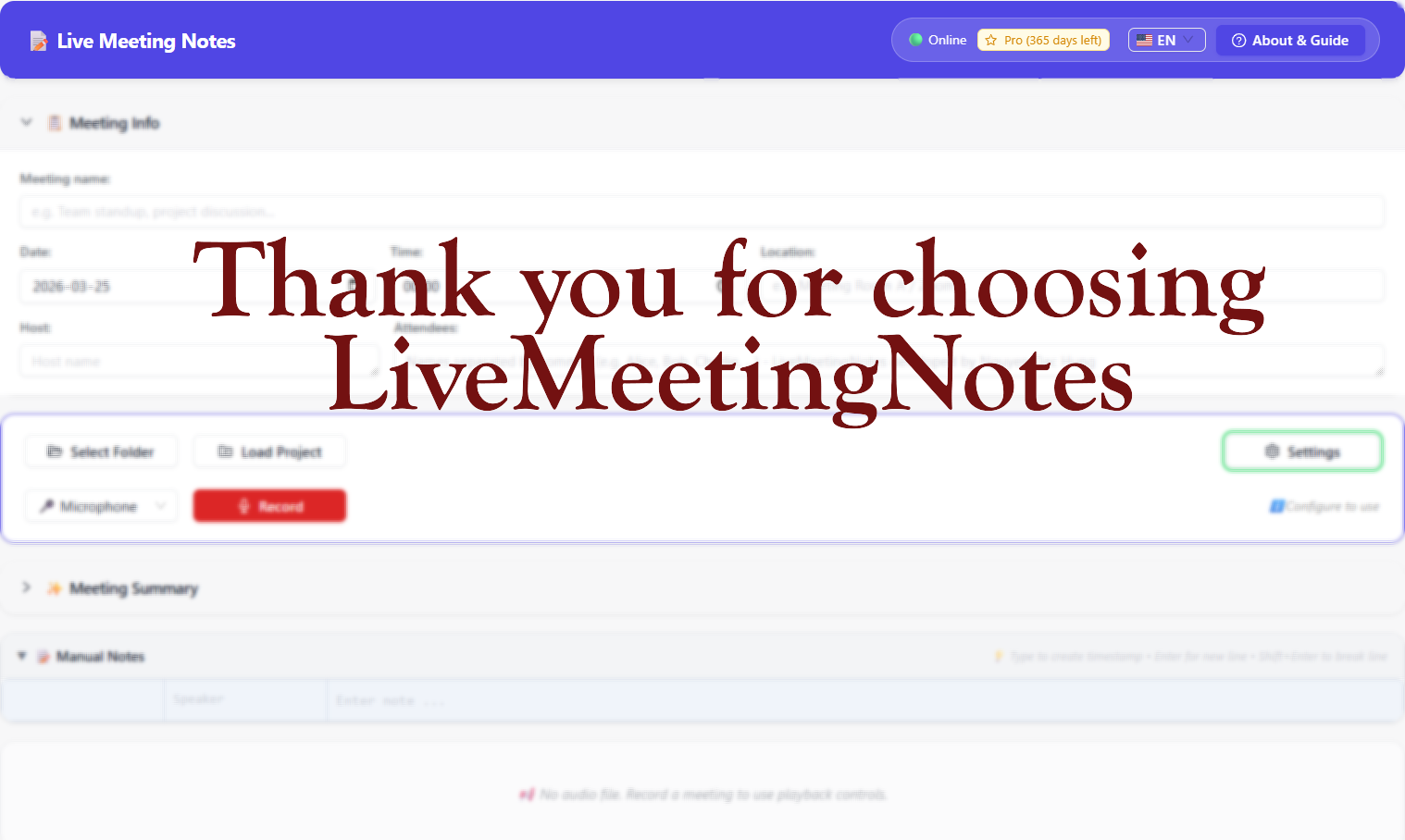
Main interface — Meeting info, recording controls, live transcription and AI summary panels
How It Works
Four steps from install to a complete meeting record.
Built-in guide for first-time users
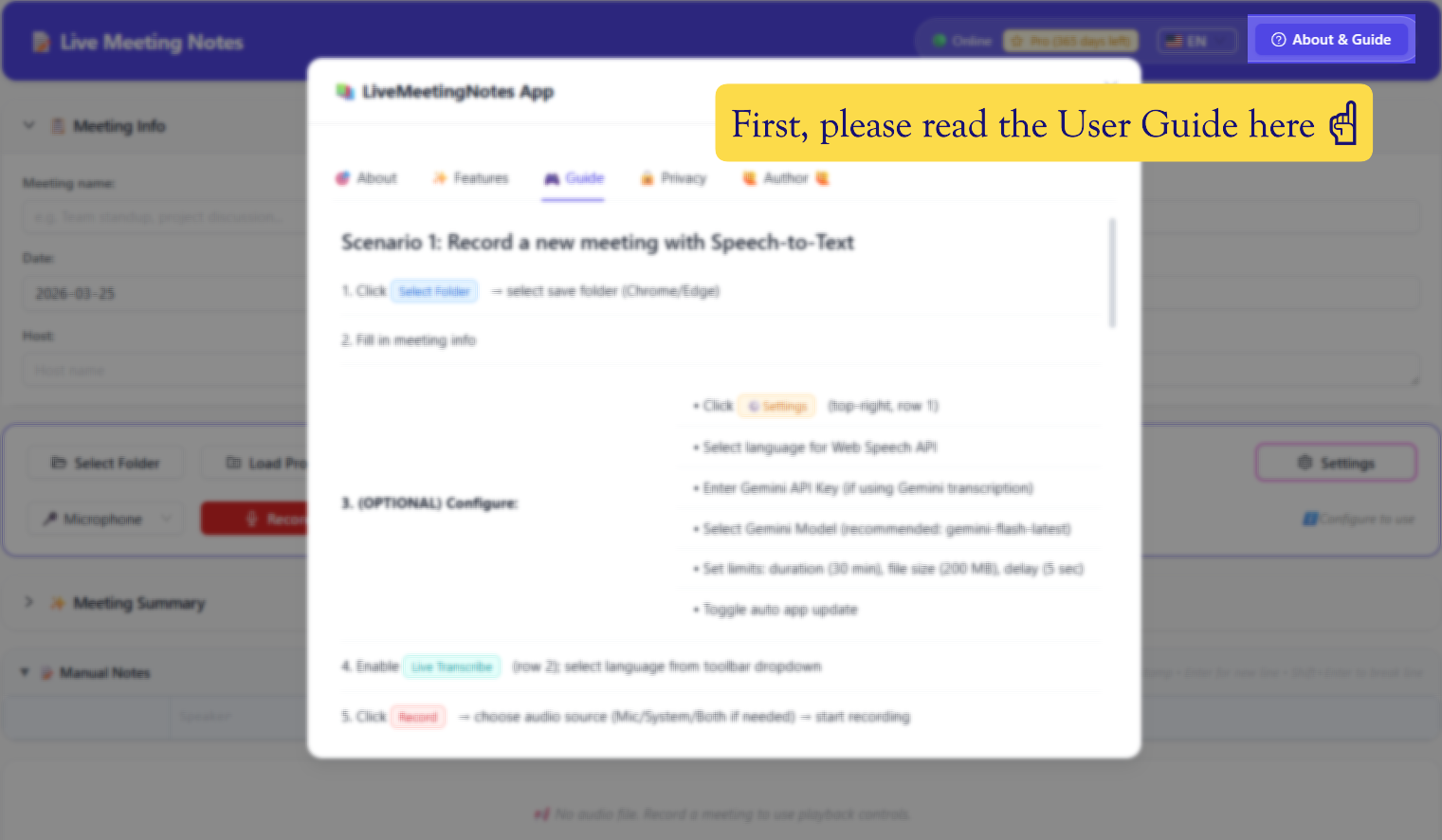
Open the About & Guide panel to follow the step-by-step setup. The guide walks you through selecting a save folder, filling in meeting info, and enabling Live Transcribe.
- ✓Select a save folder (files go directly to your disk)
- ✓Fill in meeting title, date, time, attendees
- ✓Choose audio source, enable Live Transcribe, hit Record
Add Gemini API key for AI features
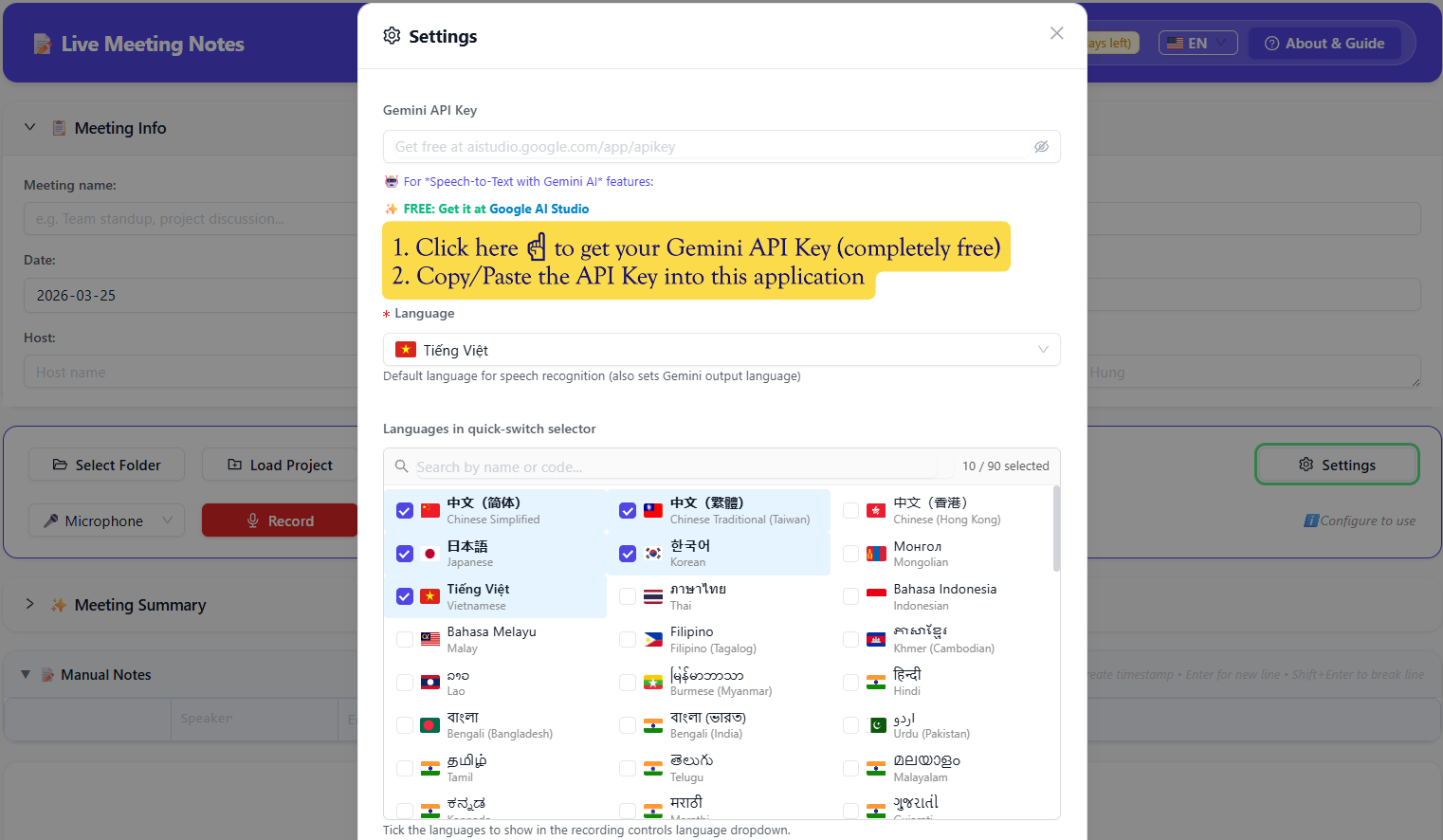
Basic transcription works out of the box — no key needed. To unlock AI refinement and meeting summaries, paste your free Gemini API key from Google AI Studio.
- ✓Gemini API key — free tier available at Google AI Studio
- ✓100+ languages with flag selector for transcription
- ✓Optional: Google Cloud Speech key for higher accuracy
Microphone, system audio, or both
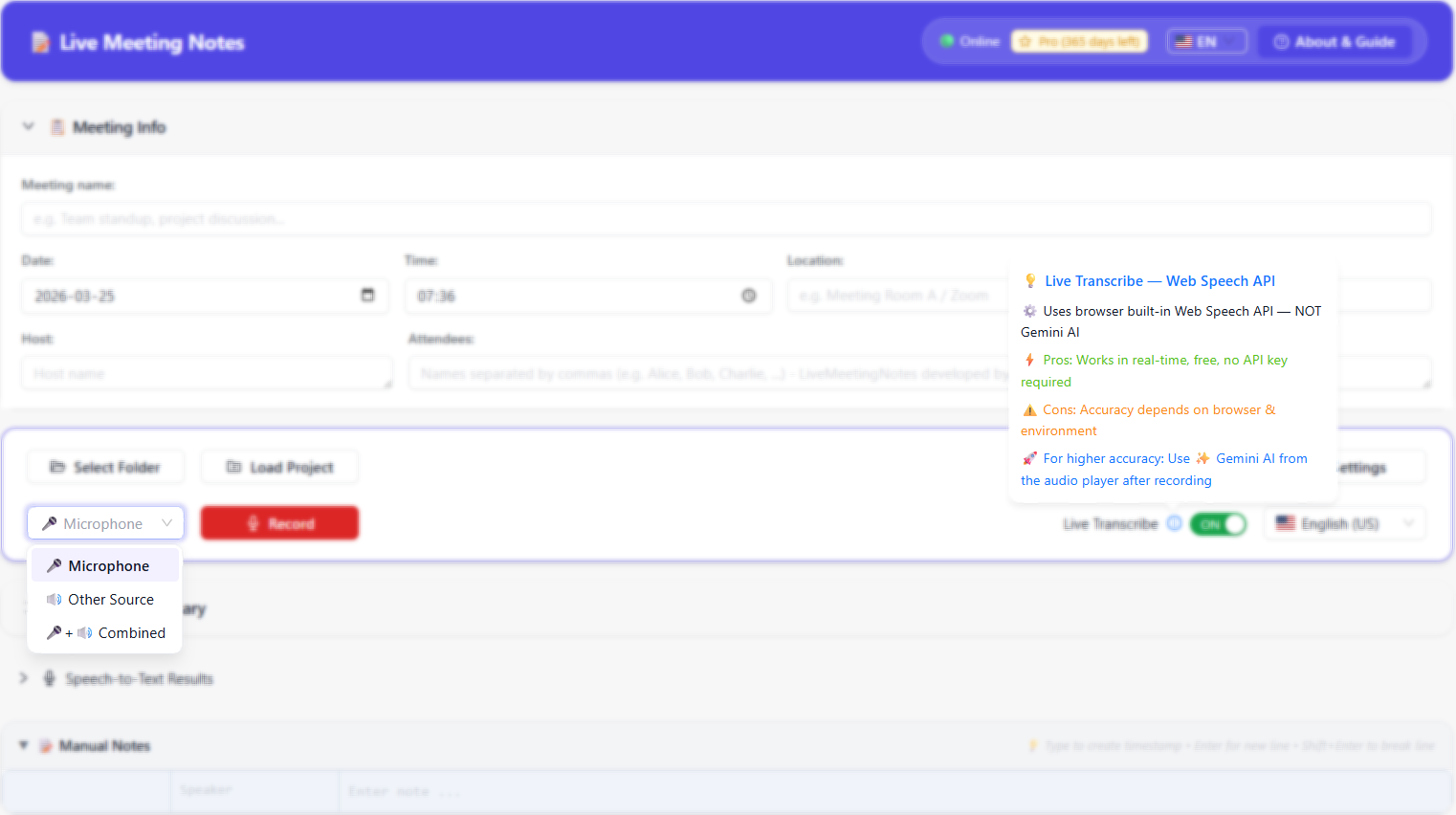
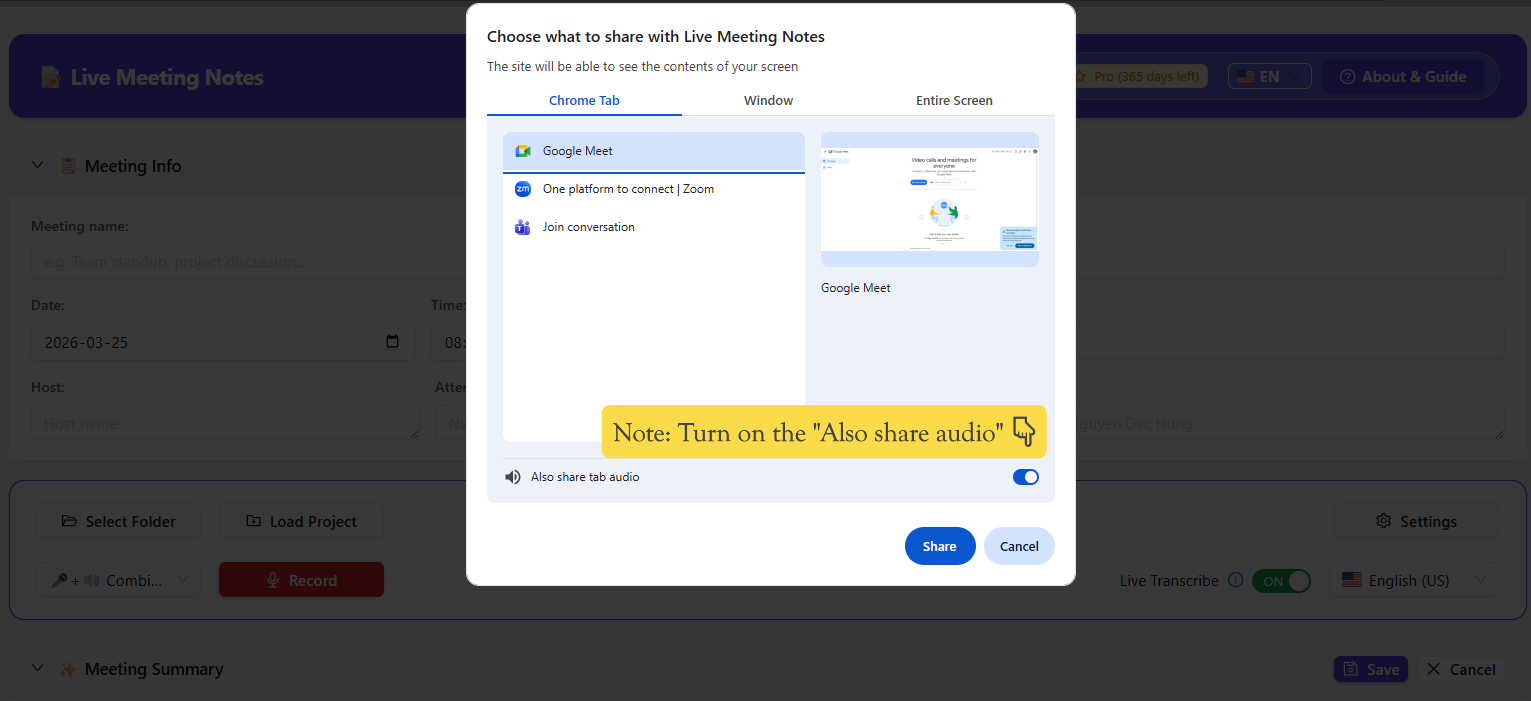
Choose what to record: your microphone only, the system/tab audio only, or a combined mix. For online meetings, select Other Source then share the meeting tab with "Also share tab audio" turned on.
- ✓Microphone — ideal for in-person meetings
- ✓System audio — capture Google Meet, Zoom, Teams audio
- ✓Mic + Combined — capture both sides simultaneously
After the Recording
Review, refine with AI, edit, and export — all in one place.
Waveform playback synced with transcript
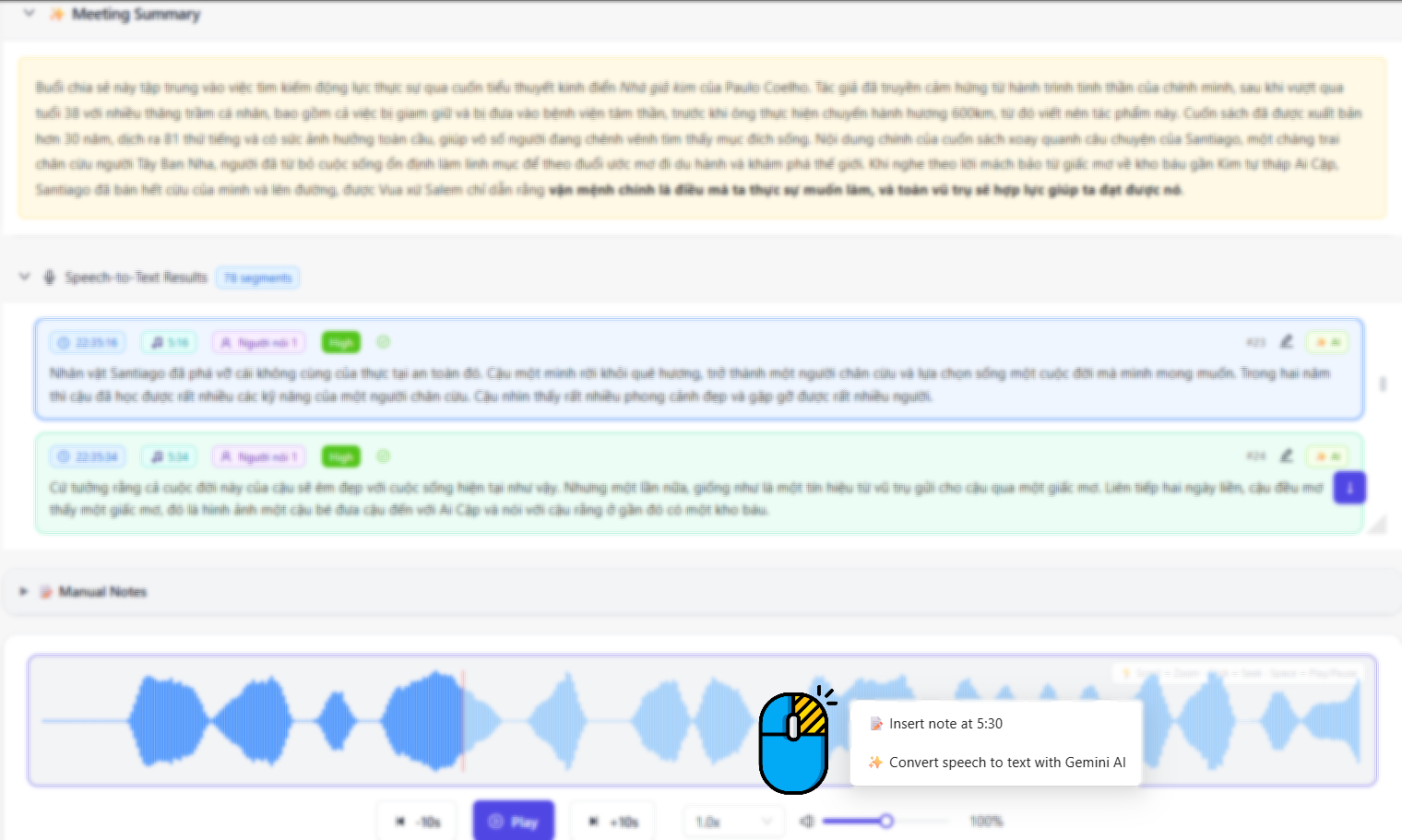
After recording, the audio waveform appears in the Manual Notes section. Click any transcript segment to jump to that moment. Right-click the waveform to insert a note or trigger AI conversion at a specific position.
- ✓Click transcript segment → seek audio instantly
- ✓Speed control: 0.5× to 2×, zoom in/out waveform
- ✓Right-click → Insert note or Convert with Gemini AI
Gemini AI — Smart merge or full replace
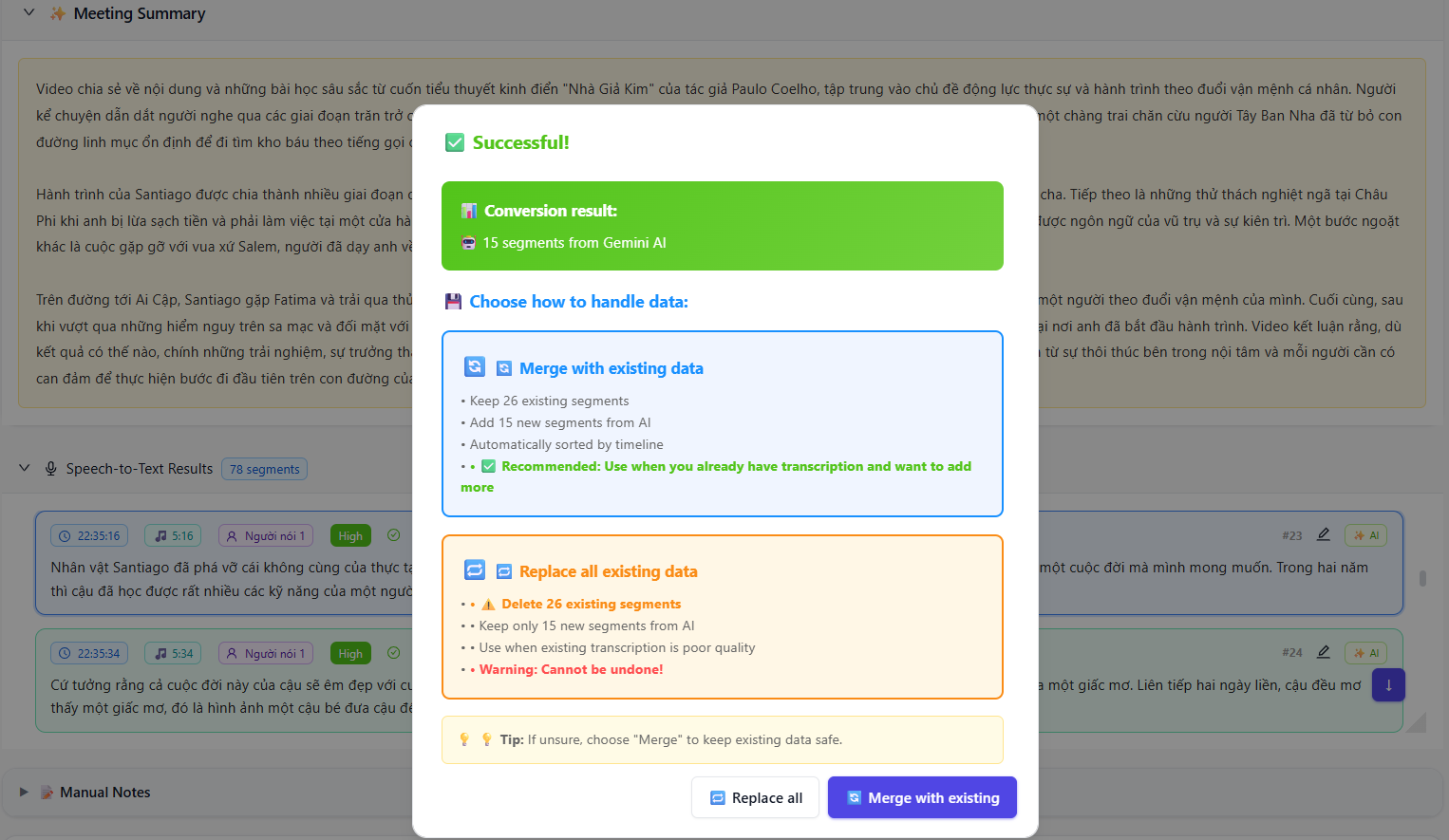
When Gemini finishes processing, you choose how to apply the results: Merge with existing to keep your manual edits and add new AI segments, or Replace all for a clean AI-generated transcript.
- ✓Shows conversion stats (segments processed, added)
- ✓Merge: preserves your data, adds AI segments
- ✓Replace: full clean AI output (warned before action)
Double-click to edit anything
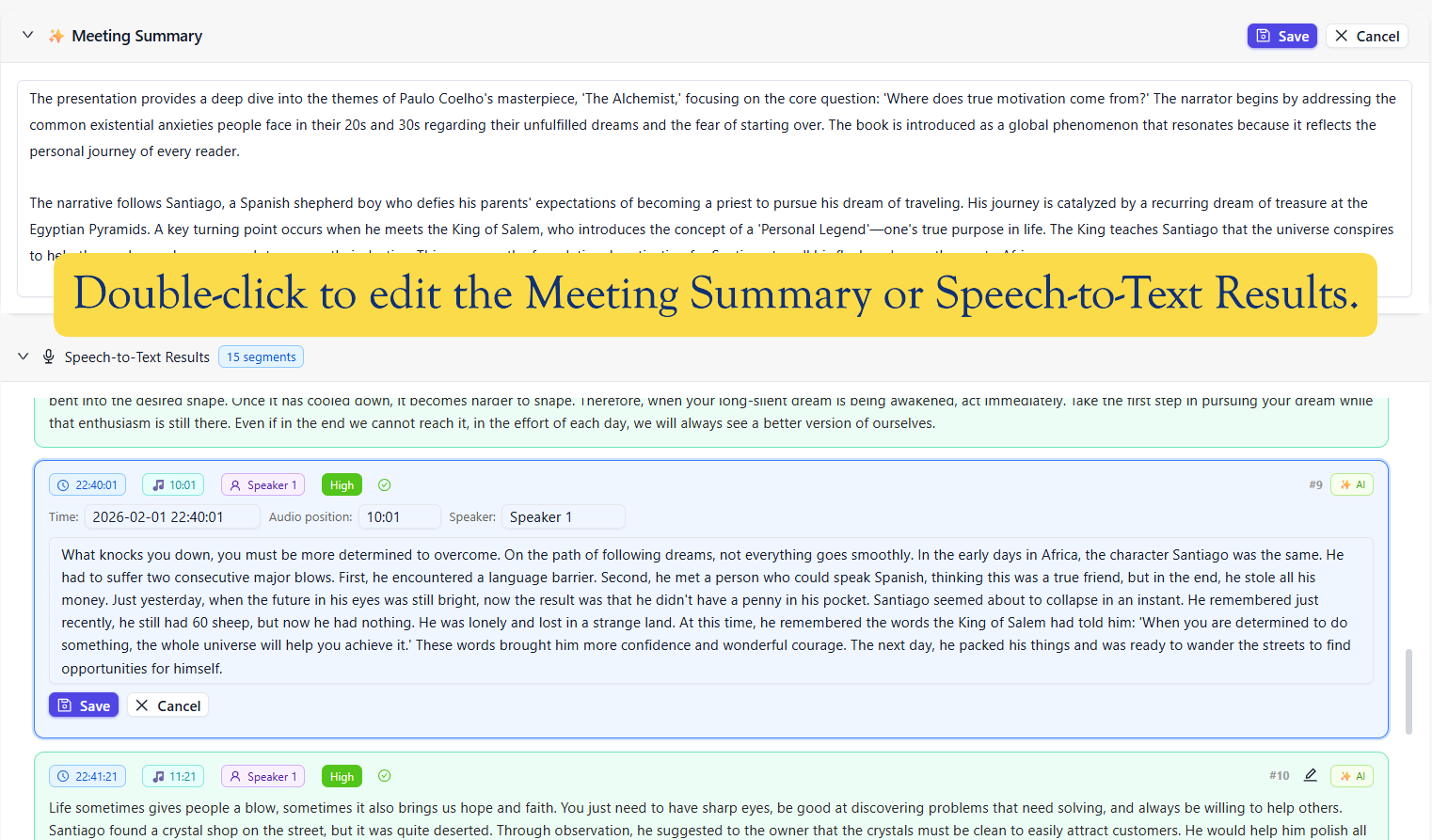
Both the Meeting Summary and every Speech-to-Text segment are fully editable. Double-click to open inline edit mode — adjust text, speaker name, start/end timestamps, or confidence score.
- ✓Edit meeting summary as rich text
- ✓Edit each transcript segment: text, speaker, timestamps
- ✓Speaker labels: rename "Speaker 1" to real names
Free vs Pro
Start for free. Upgrade when you need AI and unlimited recording.
No Account Required
Install and use immediately. Zero sign-up.
100% Local Storage
All data stays on your machine. No app server.
Your API Keys
You bring your own Gemini key. Stored locally in Chrome only.
Chrome MV3 · React 18 + TypeScript · Web Speech API · Gemini AI · WaveSurfer.js · IndexedDB · v1.2.3